Survey
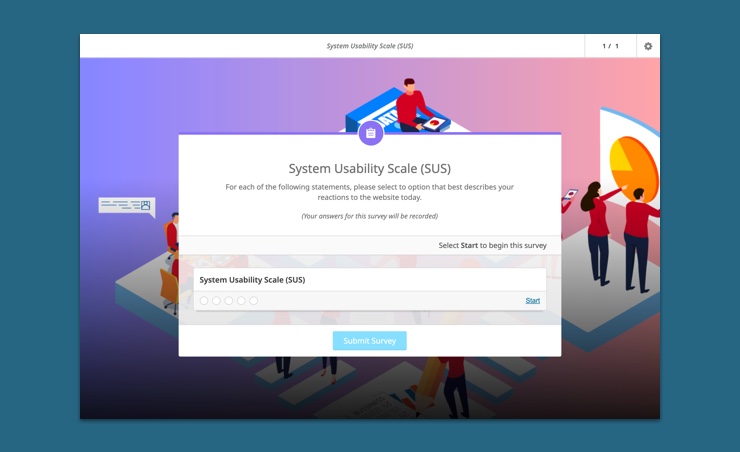
A survey is made up of one or more survey activities, such as the Likert scale question.Surveys have a front cover containing automatically generated information including the number of activities in the Survey. You can also add a title and description to the front cover.
The survey front cover looks like this:
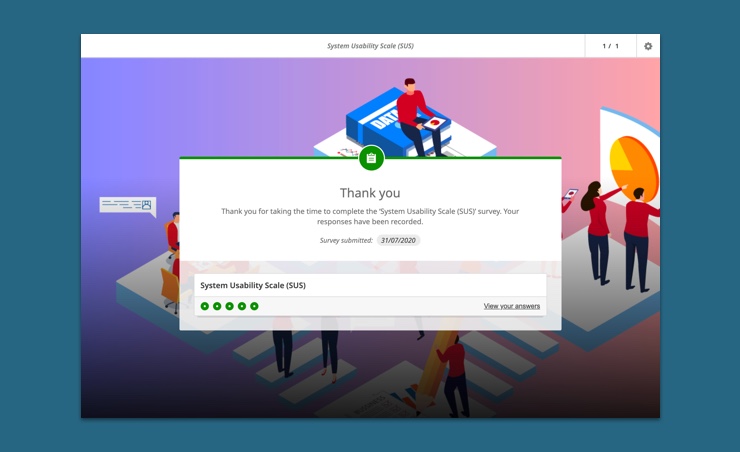
There is a summary at the end of the survey indicating the activities that you have responded to in the Survey.
The survey summary looks like this:
How do I create a survey?
Start by adding an survey activity to your Playlist. Do this by clicking on the  button that appears when you hover over an survey activity type in the Playlist Editor.
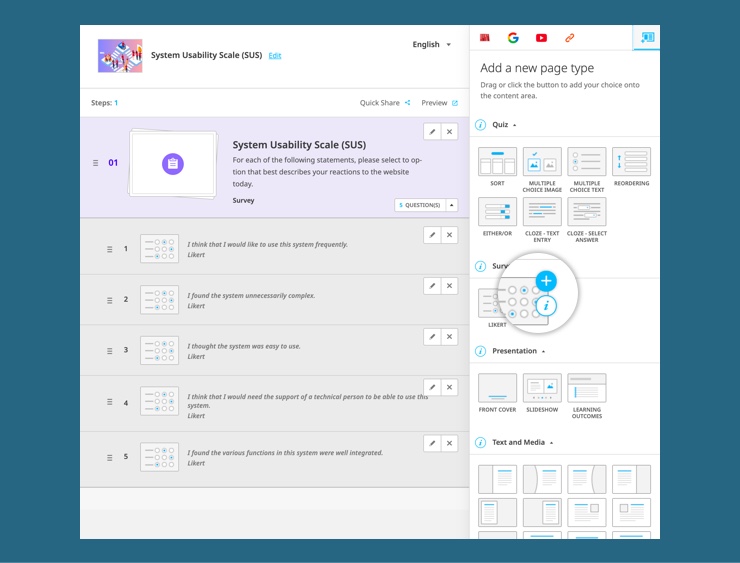
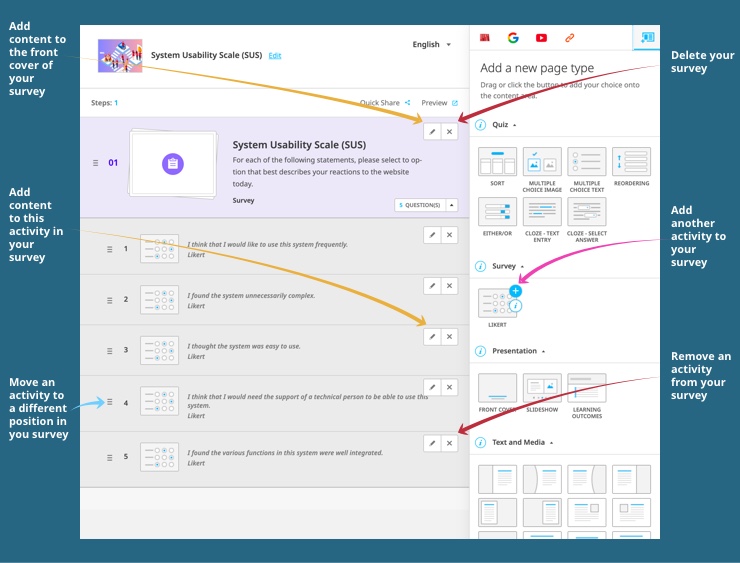
When you do this, the survey will appear in the Playlist Storyboard and will include the selected survey activity.
How do I add more than one question to a survey?
There are three ways to do this.Choose an question type in the Playlist Editor. Each time you do this, you will be asked if you want the activity to be part of an existing survey or a new one. Choose to add it to an existing survey (existing surveys are listed in a dropdown menu) and the question will appear in the selected survey in the Playlist Editor.Alternatively, drag a question type from the Playlist Editor and drop it below the survey in the Playlist Storyboard.You can also use the button that is situated in the top right-hand corner of the forms used to author and edit a survey.
How do I create subsequent surveys?
Choose an survey activity in the Playlist Editor. Each time you do this, you will be asked if you want the activity to be part of an existing survey or a new one. Choose to create a new survey and the survey activity will appear in the Playlist Editor, with a new cover and summary page.